

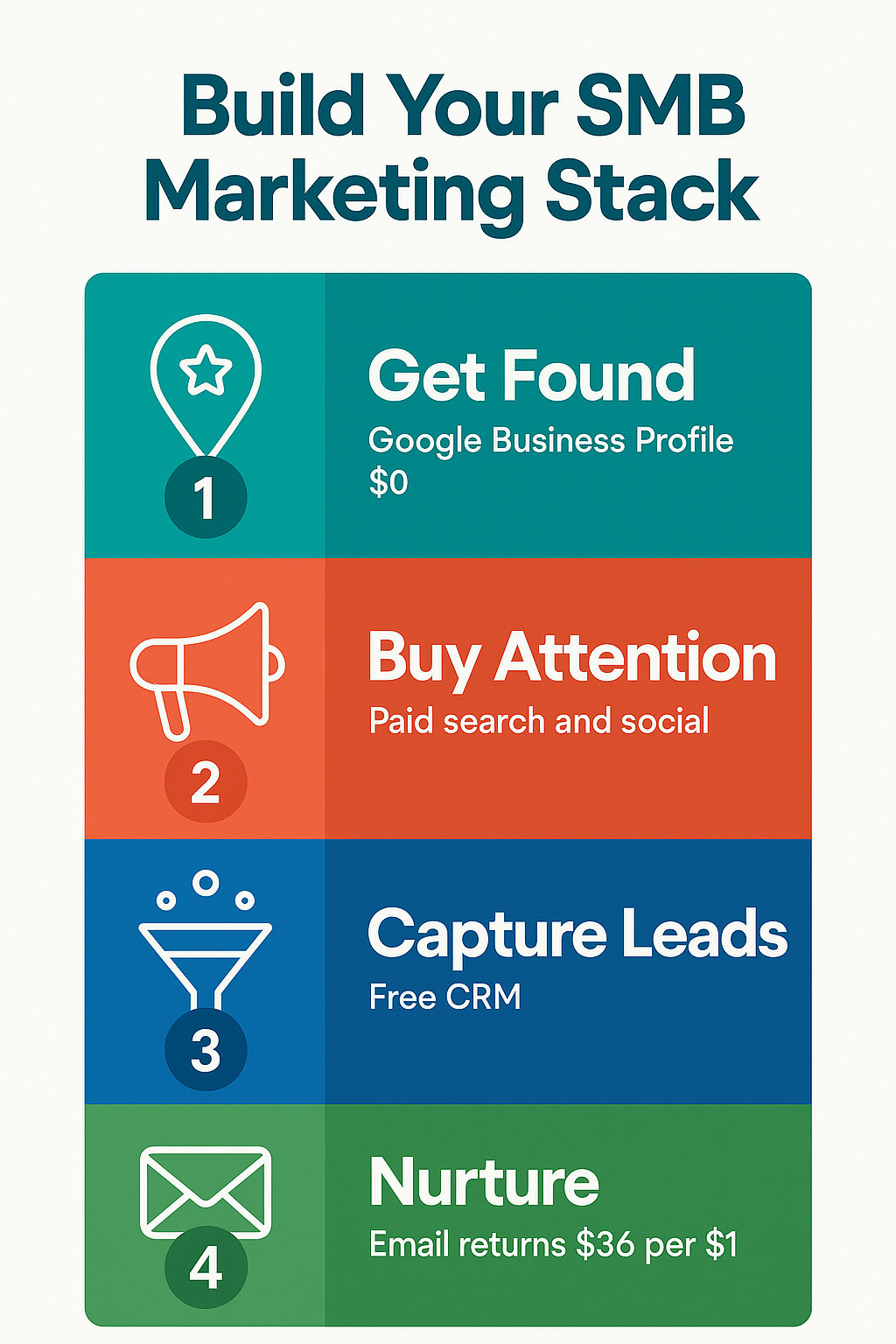
Short answer: no single digital marketing platform for small businesses does everything well. The stack that works covers four jobs: get found (Google Business Profile, Semrush), buy attention (Google Ads, Meta Ads Manager), capture and nurture leads (HubSpot free CRM, Mailchimp, Brevo, Klaviyo), and publish consistently (Canva, Buffer). Most owners can run all four for $0 to $150 a month before they hire anyone.
Below are 12 platforms we actually see working for Los Angeles and Orange County businesses, with current pricing, honest pros and cons, and the use case each one is built for.
Table of contents
- What is a digital marketing platform, and why do small businesses need one?
- How we picked: the evaluation criteria
- The 12 platforms at a glance
- The 12 platforms, reviewed
- Free vs paid: what should you actually budget?
- How does digital marketing help small businesses?
- How to build your stack in 30 days
- Seven mistakes small businesses make when choosing platforms
- When to hire help instead of buying another tool
- Key takeaways
- People also ask
What is a digital marketing platform, and why do small businesses need one?
A digital marketing platform is software that runs one or more marketing jobs for you: being found in search, running ads, storing contacts, sending email or SMS, scheduling social posts, and measuring what happened. Some platforms do one job deeply (Semrush for SEO). Others bundle several into a suite (HubSpot).
Small businesses need one because the alternative is a spreadsheet, a personal inbox, and guesswork. Marketing data gathered by BizIQ shows 72% of small and midsize business marketing budgets now go to digital channels, drawing on SBA figures that put 33.2 million small businesses in the United States. When almost every competitor is bidding for the same local searches, the business with clean tracking and a follow-up system wins the lead, not the one with the prettiest logo.
There is a second reason that matters more every quarter. AI answer engines and Google’s AI Overviews pull from structured, well-maintained sources: your Business Profile, your reviews, your site content. The platforms you choose decide how much of that raw material exists and how fast you can update it.
The four jobs your stack has to cover
- Visibility: local search, organic search, maps, and social presence.
- Demand capture: paid search and paid social that put you in front of people who are already shopping.
- Lead handling: a CRM or inbox that catches every form fill and call, plus automated follow-up.
- Measurement: analytics that tie revenue back to a channel so you can cut what loses money.
If a tool does not clearly serve one of those four jobs, it is a hobby, not a platform.
How we picked: the evaluation criteria
We judged every digital marketing platform for small businesses against six criteria, weighted for owner-operators and teams under 25 people, not enterprise marketing departments.
- Real free tier or low entry price. A tool either has to be free forever at small volume or start under about $50 a month.
- Time to value under one week. If it takes a consultant and a 90-day implementation, it is the wrong tool for a five-person business.
- You own the data. Contacts, reviews, and analytics must be exportable. Rented audiences on a single social app are not an asset.
- Predictable scaling cost. Contact-based pricing can quadruple your bill after one good lead campaign. We flag that where it applies.
- Integrations. It has to connect to your website, your forms, and the rest of the stack without custom development.
- Support and learning curve. Documentation, live chat, and a large user community matter when you are the marketing department.
One note on method: pricing below reflects publicly listed rates at the time of writing and almost always assumes annual billing for the discounted number. Vendors change tiers often, so confirm before you buy. We also mixed free and paid platforms on purpose. Four of the 12 cost nothing and are still the highest-return tools on the list.
The 12 platforms at a glance
Here is the full comparison before the detailed reviews. Prices are entry-level monthly rates.
| # | Platform | Primary job | Free plan | Paid entry price | Best for |
|---|---|---|---|---|---|
| 1 | Google Business Profile | Local visibility | Yes, fully free | $0 | Any business with local customers |
| 2 | Google Analytics 4 + Search Console | Measurement | Yes, fully free | $0 | Every website owner |
| 3 | Google Ads | Demand capture | Platform free, you pay per click | Budget only | Services with urgent demand |
| 4 | Meta Business Suite and Ads Manager | Social reach and paid social | Yes, tools are free | Ad budget only | Visual, consumer-facing brands |
| 5 | Mailchimp | Email marketing | Yes, 250 contacts | From $13 | Newsletters and simple automation |
| 6 | Brevo | Email, SMS, and chat | Yes, 300 emails per day | From $9 | Big lists on a small budget |
| 7 | Klaviyo | Ecommerce email and SMS | Yes, up to 250 profiles | From about $20 | Online stores |
| 8 | HubSpot | CRM and marketing suite | Yes, free CRM | From $20 per seat | Teams with a real sales process |
| 9 | Semrush | SEO and competitor research | Limited free account | $139.95 | Businesses serious about search |
| 10 | Canva | Design and content production | Yes, generous | $18 | Owners without a designer |
| 11 | Buffer | Social scheduling | Yes, 3 channels | $5 per channel | Consistent posting on a budget |
| 12 | ChatGPT and AI assistants | Content and research leverage | Yes | $20 | Lean teams producing a lot |
The 12 platforms, reviewed
Each review covers what the platform does, what it costs, where it breaks, and who should use it.
1. Google Business Profile: the highest-ROI free tool in local marketing

Google Business Profile is the listing that puts you in the map pack when someone searches “dentist near me” or “plumber Costa Mesa.” It is free, and for most local companies it generates more qualified contacts than the website does.
- Key features: map and local pack placement, photos and video, review collection and replies, Q&A, service and product listings, Google Posts, messaging, and performance data on calls, direction requests, and website clicks.
- Pricing: free.
- Pros: highest purchase intent of any channel, visible results within weeks of consistent review generation, no technical setup.
- Cons: suspensions happen and appeals are slow, competitors file fake listings in dense markets, and ranking depends heavily on proximity, which you cannot change.
- Best for: every business with a storefront or service area, especially those competing across Los Angeles where the map pack is crowded.
Practical tip: post photos weekly, answer every review within 48 hours, and keep categories tight. Those three habits move local rankings more than most paid tools.
2. Google Analytics 4 and Search Console: free measurement you cannot skip

GA4 tells you what people did on your site. Search Console tells you what they searched to get there. Together they are the scoreboard for everything else on this list, and both are free.
- Key features: event-based conversion tracking, traffic source reporting, funnel exploration, audience building for Google Ads, query and click data, index coverage and Core Web Vitals reports.
- Pricing: free. The paid Analytics 360 tier exists for enterprises and is irrelevant here.
- Pros: no cost, integrates with Google Ads natively, and Search Console query data is the cheapest content research you will ever get.
- Cons: GA4’s interface frustrates beginners, default reports hide the useful numbers, and conversion setup is easy to get wrong.
- Best for: every website owner. Set it up before you spend a dollar on ads.
Set three conversion events at minimum: form submission, phone click, and booking confirmation. Without those, you cannot tell which platform is earning its keep.
3. Google Ads: buy intent instead of waiting for it
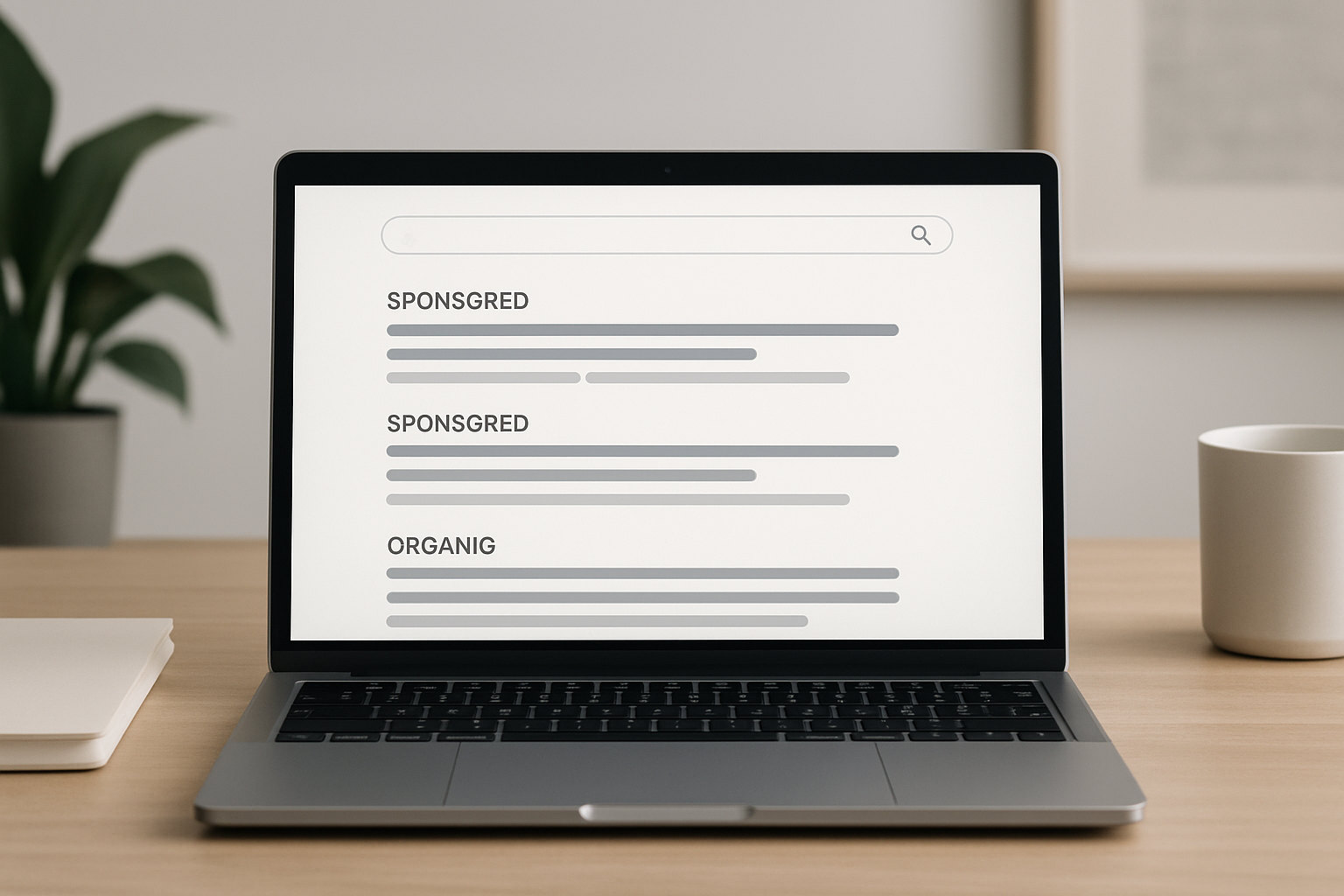
Google Ads puts you at the top of the results page for searches you choose. There is no software fee, only media spend, which makes it the fastest lever a small business has when the phone is quiet.
- Key features: search, Performance Max, local service ads in eligible categories, call tracking, conversion imports, geographic radius targeting, and automated bidding.
- Pricing: no platform fee. Budget is whatever you set. Local service clicks commonly run $8 to $90 depending on category, with legal and medical at the top of the range.
- Pros: immediate traffic, precise geographic control, and clean attribution when GA4 is configured correctly.
- Cons: expensive mistakes compound quickly, Performance Max hides placement data, and Google’s automated recommendations often widen targeting past profitability.
- Best for: urgent-need services such as HVAC, legal, dental, and home repair.
Before you launch, read our plain-English guide to paid advertising for small businesses so you know what a sane starting budget looks like in your category.
4. Meta Business Suite and Ads Manager: reach plus cheap testing
Meta Business Suite manages your Facebook and Instagram presence from one place, and Ads Manager runs the paid side. The organic tools cost nothing, which is why every local brand should at least claim and maintain the accounts.
- Key features: post scheduling, unified inbox for comments and DMs, audience insights, lead form ads, retargeting from website traffic or customer lists, and A/B testing.
- Pricing: management tools are free. Ads cost what you budget, often $10 to $50 a day for a local test.
- Pros: the cheapest place to test creative and offers, strong retargeting, and lead forms that convert on mobile.
- Cons: organic reach for business pages keeps shrinking, account restrictions can be hard to appeal, and attribution now leans on modeling rather than exact tracking.
- Best for: restaurants, med spas, gyms, retail, and any brand with visual proof of results.
If posting consistency is the problem, our social media planning guide for local businesses lays out a monthly calendar you can copy.
5. Mailchimp: the familiar starting point for email

Mailchimp remains the default email platform for first-time senders because the editor is simple and the templates look fine without design help. The catch in 2026 is a much tighter free plan.
- Key features: drag and drop email builder, landing pages, signup forms, basic automations such as welcome and abandoned cart, segmentation, and A/B testing on paid tiers.
- Pricing: free plan limited to 250 contacts and 500 sends per month. Essentials starts at $13 per month, Standard at $20, Premium at $350, all scaling with contact count.
- Pros: easiest learning curve on this list, broad integrations, and reliable deliverability.
- Cons: the free tier is now too small for most businesses, costs climb fast with list size, and automation depth lags competitors at the same price.
- Best for: small lists under 2,000 contacts that send a monthly newsletter and one or two automations.
6. Brevo: the budget pick for larger lists

Brevo, formerly Sendinblue, prices by emails sent rather than contacts stored, which flips the economics for businesses with big lists and modest send volume. EmailToolTester’s pricing review notes the free plan allows 300 emails per day, roughly 9,000 a month.
- Key features: email campaigns, SMS and WhatsApp, transactional email, live chat widget, a built-in CRM, landing pages, and automation workflows.
- Pricing: free forever at 300 emails per day with up to 100,000 stored contacts. Starter plans begin around $9 per month, with automation-heavy tiers from about $18.
- Pros: storing contacts is free, SMS and chat live in the same tool, and the entry price undercuts nearly everyone.
- Cons: the template editor is less polished, support quality varies by tier, and some add-ons carry extra fees.
- Best for: service businesses with thousands of past customers they email occasionally.
7. Klaviyo: email and SMS built for online stores

Klaviyo is the ecommerce specialist. It connects to Shopify, WooCommerce, and BigCommerce and reports revenue per flow, so you can see exactly which automated message paid for the subscription.
- Key features: prebuilt flows for abandoned cart, browse abandonment, and post-purchase, predictive analytics such as expected date of next order, SMS in the same platform, and product feed personalization.
- Pricing: free up to 250 profiles with limited sends. Paid plans start around $20 per month at 500 contacts and scale with list size, reaching roughly $720 per month at 50,000 contacts. SMS credits are billed separately.
- Pros: best-in-class ecommerce reporting, deep segmentation, and flows that genuinely recover revenue.
- Cons: overkill for service businesses, billing changes have surprised users, and the interface rewards time invested.
- Best for: stores doing real transaction volume where a 5% lift in repeat orders covers the bill.
8. HubSpot: free CRM now, suite later

HubSpot’s free CRM is the most generous on the market: unlimited users, contact records, deal pipelines, email templates, and meeting links at no cost. That alone solves lead handling for most small teams.
- Key features: contact and deal management, forms and live chat, email sequences, landing pages, reporting dashboards, and quotes. Paid hubs add automation, custom reporting, and attribution.
- Pricing: free CRM at $0. Starter seats run about $20 per seat per month, and the Starter Customer Platform bundles all hubs at Starter level for roughly the same per-seat rate. Professional jumps to about $800 per month plus a one-time onboarding fee near $3,000.
- Pros: excellent free tier, everything in one record, and strong training resources.
- Cons: the leap from Starter to Professional is brutal for a small budget, and contact-tier pricing adds up quietly.
- Best for: businesses with a consultative sales process: law firms, contractors, B2B services, clinics.
9. Semrush: see what competitors rank for

Semrush is the research layer. It shows which keywords competitors rank for, what their pages look like, where their links come from, and which of your pages are slipping.
- Key features: keyword research with local volume, position tracking by zip code, site audit, backlink analysis, competitor traffic estimates, content optimization, and listing management.
- Pricing: research by Docket lists Pro at $139.95, Guru at $249.95, and Business at $499.95 per month, with annual billing shaving roughly 17%. A limited free account allows a handful of daily lookups.
- Pros: the broadest dataset for the money, local rank tracking that actually reflects map results, and audits that surface technical problems fast.
- Cons: expensive relative to other tools here, and the feature sprawl means most owners use 10% of it.
- Best for: businesses investing in content and SEO for 12 months or more, or anyone who needs to justify SEO spend with data.
10. Canva: production speed without a designer

Canva turns a non-designer into someone who can ship a month of branded social posts in an afternoon. For most small businesses it replaces a freelance designer for routine work.
- Key features: templates for every ad and social format, brand kit with locked fonts and colors, background remover, video editing, bulk resize, AI image and copy tools, and scheduling to social channels.
- Pricing: free plan covers a lot. Canva Pro is about $18 per month for one person, and the Business tier runs roughly $20 to $25 per user per month.
- Pros: fast, cheap, and the brand kit keeps a team on-brand without supervision.
- Cons: template-heavy output can look generic, and advanced print work still needs a real designer.
- Best for: owners and office managers producing day-to-day creative in house.
11. Buffer: consistency at the lowest possible cost

Buffer schedules posts across channels and gets out of the way. Its per-channel pricing makes it the cheapest serious scheduler for a business running two or three profiles.
- Key features: queue-based scheduling, AI assistant for captions and repurposing, engagement inbox, link-in-bio page, and per-post analytics.
- Pricing: free for up to three channels with 10 scheduled posts per channel. Essentials is $6 per channel per month, or $5 billed annually. Team is $12 per channel, or $10 annually, with unlimited users.
- Pros: genuinely usable free tier, clean interface, and costs stay tiny for a small presence.
- Cons: costs multiply as channels grow, reporting is lighter than Hootsuite or Sprout, and approval workflows are basic.
- Best for: solo marketers who need to batch a week of content on Monday morning. Our team also keeps a workflow walkthrough here if posting keeps slipping.
12. ChatGPT and AI assistants: leverage, not autopilot
AI assistants are now a standard layer in the stack. Used well, they cut content production time by half. Used badly, they produce generic pages that no search engine or buyer rewards.
- Key features: first drafts for service pages and emails, review response templates, ad variations for testing, customer research summaries, spreadsheet and data cleanup, and custom assistants trained on your offers and tone.
- Pricing: free tiers exist across major assistants. ChatGPT Plus is $20 per month, and business seats generally run $25 to $30 per user per month.
- Pros: enormous time savings on drafting, research, and repetitive replies, with almost no setup cost.
- Cons: confident factual errors, flat brand voice without strong prompts, and a real risk of publishing content that adds nothing new.
- Best for: lean teams that still have a human editing every word before it ships. We shortlisted the AI tools worth paying for in a separate breakdown.
Free vs paid: what should you actually budget?
A small business can run credible digital marketing for $0 in software. Paid tools buy speed, data, and automation, not results on their own. Here are three realistic stacks.
| Stack | Monthly software cost | What is included | Fits |
|---|---|---|---|
| Free starter | $0 | Google Business Profile, GA4, Search Console, Meta Business Suite, Canva free, Buffer free, HubSpot free CRM, Brevo free email | Pre-revenue or first 12 months |
| Lean growth | $60 to $200 | Brevo or Mailchimp paid, Canva Pro, Buffer Essentials on 3 channels, HubSpot Starter seat, plus ad budget on top | Established local business with steady leads |
| Competitive | $350 to $900 | Everything above plus Semrush Pro or Guru, Klaviyo or HubSpot Professional, AI seats for the team | Multi-location or crowded category |
Media spend sits separately. For most Southern California service businesses, a Google Ads test needs $1,500 to $3,000 a month to produce enough conversion data to optimize within 60 days. Spending $400 a month on clicks in a $60-per-click category simply buys noise.
One budgeting rule that holds up: software should never exceed about 15% of total marketing spend. If you are paying $600 in subscriptions and $800 in ads, the ratio is broken and the tools are not being used.
How does digital marketing help small businesses?
Digital marketing helps small businesses by making demand measurable, repeatable, and cheaper to reach than traditional media. Three effects do most of the work.
It compounds instead of resetting
A billboard stops working the day the contract ends. A ranked service page, a profile with 300 reviews, and an email list of 4,000 past customers keep producing. That is why the first year of SEO feels slow and the third year feels unfair to competitors.
Owned channels return more than rented ones
Email is still the highest-return channel on a cost basis. Research compiled by Stealth Agents from Litmus and HubSpot benchmarks puts email marketing returns at roughly $36 to $42 for every $1 spent, with smaller lists under 1,000 contacts seeing notably higher open rates than enterprise senders. A local list of 2,000 engaged customers is a durable asset. A social following is a lease.
It shortens the distance between interest and booking
Speed to lead decides outcomes in service categories. When a form fill triggers an automated text within 60 seconds and a calendar link within five minutes, close rates rise without a single extra click purchased. That is a workflow fix, not a budget fix, and every platform on this list supports it.
The pattern we see across clients is simple: visibility creates volume, follow-up creates revenue. Most small businesses over-invest in the first and ignore the second. If lead flow is your gap, start with this breakdown of local lead generation before buying another subscription.
How to build your stack in 30 days
You do not need all 12 platforms. Use this four-week sequence to go from scattered to functional.
- Week 1: claim and measure. Verify your Google Business Profile, fill every field, upload 15 photos, and set a review request process. Install GA4 and Search Console, and define three conversion events.
- Week 2: capture leads properly. Open a HubSpot free CRM account, connect your website forms, and set an automatic reply plus a task for every new lead. Add call tracking if phone is your main channel.
- Week 3: build the content engine. Set up Canva with your brand kit, queue four weeks of posts in Buffer, and write one email to your existing customer list in Brevo or Mailchimp.
- Week 4: buy attention and review the data. Launch one tightly targeted Google Ads campaign or a Meta retargeting campaign, then check GA4 against the three conversion events you defined in week one and cut anything that produced nothing.
Repeat the review monthly. Our full walkthrough of the digital marketing process for SMBs covers the operating rhythm in more depth, including what to report on each month.
Seven mistakes small businesses make when choosing platforms
- Buying a suite before the basics work. A $800 per month marketing hub does nothing if your Business Profile is unverified and nobody answers the phone.
- Ignoring contact-based pricing. Importing 12,000 old contacts into a contact-priced platform can triple the bill overnight. Clean the list first.
- No conversion tracking. Running ads without defined conversions means you are optimizing toward clicks, which any budget can buy.
- Tool sprawl. Six half-used subscriptions cost more than two well-run ones and make reporting impossible.
- Treating social followers as owned. Export contacts into email or SMS so a platform change cannot erase your audience.
- Letting AI publish unedited. Generic AI pages rarely earn rankings and can damage trust with customers who notice.
- Switching too early. Most platforms need 90 days of consistent use before the data means anything. Give the stack time before you blame it.
When to hire help instead of buying another tool
Buy a tool when the problem is capacity. Hire help when the problem is strategy or skill. If you have Google Ads running, email sending, and analytics installed but still cannot say which channel produced last month’s best customers, another subscription will not fix it.
Three signals it is time to bring in a partner: ad spend above roughly $3,000 a month with unclear return, a site that does not convert the traffic it already gets, or a team that knows the next move but has no hours to execute it.
Virality Creative builds and runs these stacks for Los Angeles and Orange County businesses, from Google Business Profile optimization to paid search, web design, and AI workflows. If you want a straight assessment of what your current setup is missing, book a call with our marketing consulting team and we will walk your numbers with you.
Key takeaways
- The right digital marketing platform for small businesses is usually four or five tools covering visibility, demand capture, lead handling, and measurement, not one suite.
- Four of the strongest platforms cost nothing: Google Business Profile, GA4, Search Console, and Meta Business Suite.
- Entry pricing in 2026: Brevo from about $9, Mailchimp from $13, Canva Pro at $18, HubSpot Starter near $20 per seat, Semrush Pro at $139.95.
- Watch contact-based pricing. Mailchimp’s free plan now caps at 250 contacts, while Brevo stores up to 100,000 contacts free and charges by sends.
- Email remains the highest-return channel on a cost basis, with benchmarks near $36 back per $1 spent.
- Keep software under roughly 15% of total marketing spend, and give any new platform 90 days before judging it.
People also ask
What are the top 5 digital marketing platforms?
For a small business, the top five are Google Business Profile for local visibility, Google Ads for high-intent traffic, Meta Ads Manager for paid social, an email platform such as Mailchimp or Brevo for owned audience, and Google Analytics 4 for measurement. Semrush is the sixth once SEO becomes a real investment.
What is the 3-3-3 rule for marketing?
The 3-3-3 rule is an attention framework: capture interest in the first 3 seconds, deliver the core value within 3 minutes, and follow up within 3 days. There is no official standard behind it, and some marketers use a variation meaning three channels, three messages, and three months of consistency before judging results.
Is digital marketing still worth it in 2026?
Yes, with a shift in emphasis. AI Overviews and chat assistants now answer many informational searches directly, so traffic from generic blog content is falling. Commercial searches, local map results, reviews, and paid placements still convert, and those are exactly where small business budgets belong.
Is there a free digital marketing platform for small businesses?
Several. Google Business Profile, Google Analytics 4, Search Console, and Meta Business Suite are fully free. HubSpot offers a free CRM with unlimited users, Brevo allows 300 emails a day free, Buffer covers three channels free, and Canva’s free plan handles most everyday design work.
What business is booming right now?
In Southern California, the categories showing the strongest demand growth are home services, aesthetics and med spas, senior and pet care, EV and solar installation, and AI implementation services. All of them are search-driven, which is why competition in local paid search keeps intensifying in those verticals.
How many marketing tools does a small business actually need?
Four to six. One for local visibility, one for analytics, one for email or SMS, one for design and scheduling, and optionally one each for SEO research and CRM. Beyond that, you are usually paying for overlap you will not use.
Can a platform replace a marketing agency?
No. Platforms execute what you already decided. They do not choose your offer, write your positioning, diagnose why your site fails to convert, or manage bidding strategy week to week. Software lowers the cost of good decisions and amplifies the cost of bad ones.

About the author
Jacob Gendron
Jacob Gendron is the founder of Virality Creative, where he builds and designs websites for businesses that want to look sharp and get found.


